Welcome to WordPress. This is your first post. Edit or delete it, then start writing!
One Response
Hi, this is a comment.
To get started with moderating, editing, and deleting comments, please visit the Comments screen in the dashboard.
Commenter avatars come from Gravatar.
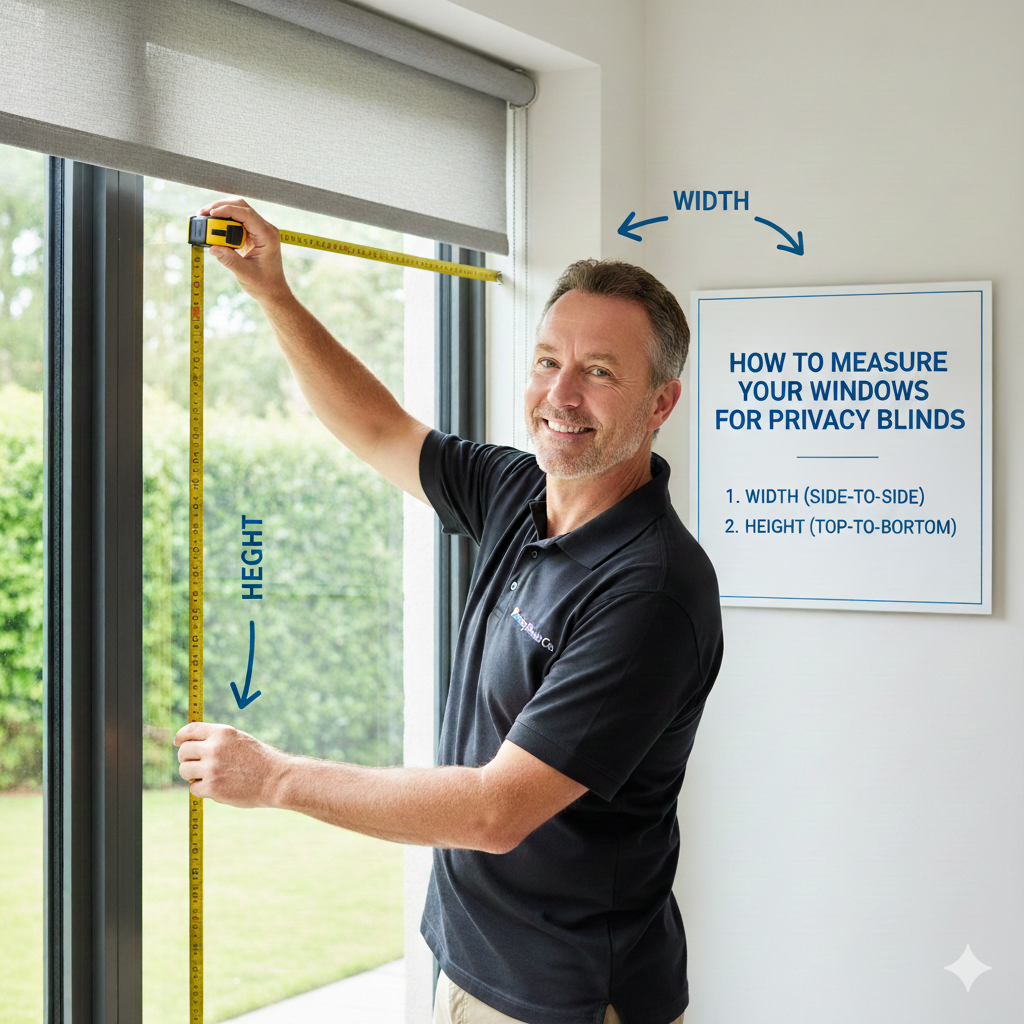
Accurate measurements ensure your blinds or shutters fit perfectly. Follow these simple steps to measure your windows and send us the details. Don’t worry – it’s quick and easy, and we’ll guide you every step of the way!
Step-by-Step Instructions
Step 1: Measure Your Window
Use a metal measuring tape for best accuracy.
Measure the width of your window frame from left to right.
Measure the height of your window frame from top to bottom.
Take measurements in millimeters (mm).
Double-check all measurements to avoid errors.
Step 2: Write Down Your Measurements
Write clearly:
Window / Room Name
Width (mm)
Height (mm)
Blind or Shutter Type (if selected)
Step 3: Convert Measurements to PDF
You can use Word, Notes, or even paper.
If handwritten, take a clear photo or scan it.
Save or convert the file to PDF format.
Make sure all text and numbers are readable.
Step 4: Send Us Your Measurements
Click the button above to fill out the form and upload your PDF.
Once we receive it, our team will review your measurements and provide a free quote.
“Need Help?” “If you’re unsure about measuring, we recommend using our professional measuring service. This ensures your blinds or shutters will fit perfectly – no guesswork required.”
B.C. Blinds – Made-to-Measure Quality You Can Trust
B.C. Blinds is a family-run company established in 2009, offering high-quality made-to-measure blinds with fast turnaround times. Based in Birmingham, we manufacture, measure, and fit blinds across the West Midlands & the Black Country, helping homes and businesses achieve the perfect window finish with confidence.


Hi, this is a comment.
To get started with moderating, editing, and deleting comments, please visit the Comments screen in the dashboard.
Commenter avatars come from Gravatar.